





Which system does your Hisense TV run?
Hisense sells TVs that run different systems, and that decides whether Airmote works.
A Roku TV says "Roku TV" on its home screen and on its remote.
A Google TV or Android TV set asks you to sign in with a Google account during setup and has the Google Play store on it.
Hisense TVs that run VIDAA aren't supported.
Not sure? Check my TV.
What you need on Roku
- Your phone and the TV on the same Wi-Fi network (a TV on a network cable to the same router counts).
- The TV switched on, or in a standby that keeps it on the network.
- "Control by mobile apps" turned on in the Roku's settings.
How to connect on Roku
- Put your phone on the same Wi-Fi as the TV. Mobile data won't reach it.
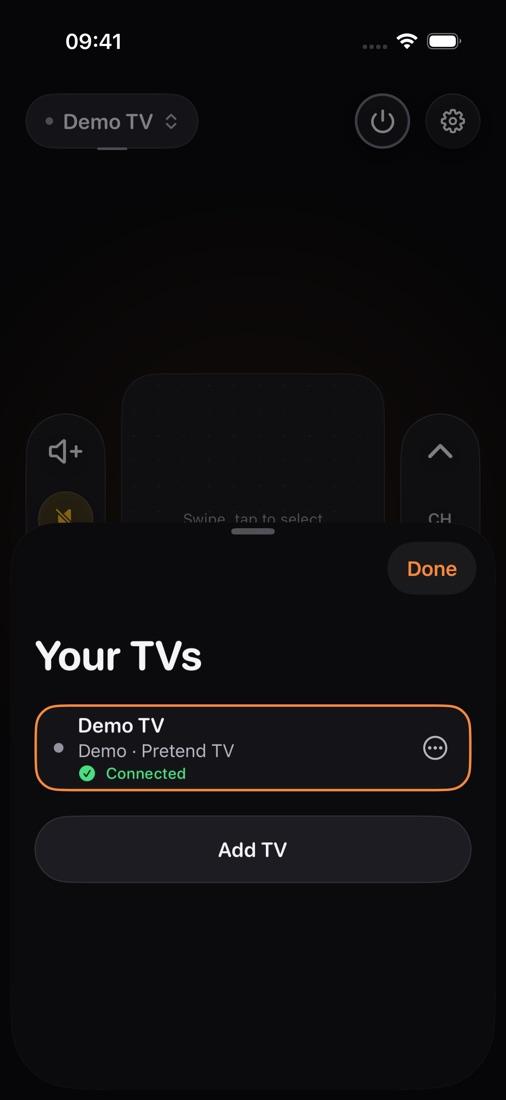
- Open Airmote. It looks for TVs on your network. Pick yours from the list.
- Press things. From now on Airmote connects by itself when you open it.
One TV setting to know about. "Control by mobile apps" has to be on: Settings > System > Advanced system settings > Control by mobile apps.
What Airmote can do on Roku
- Turn the TV off: PartlyRoku TVs, not players.
- Turn the TV on: PartlyRoku TVs only, and only while the TV is still on the network.
- Volume and mute: PartlyRoku TVs. Players only if they report that they control the sound.
- Switch inputs: PartlyRoku TVs.
- Type with the phone's keyboard: Yes
- Open apps: YesYour channels, with their icons.
- Cast photos and video: NoAirmote is a remote. It doesn't cast or mirror.
- Mirror the phone's screen: NoAirmote is a remote. It doesn't cast or mirror.
What doesn't work on Roku
- No number pad and no colour buttons: Roku doesn't have them.
- A Roku player can't turn your TV off or on. Volume works only on players that control the sound.
- A Roku TV that has been in standby for a while drops off Wi-Fi, and then nothing can wake it but the button on the TV.
- It can't reach a TV that isn't on the network, or one that is fully switched off.
What you need on Google TV
- Your phone and the TV on the same Wi-Fi network (a TV on a network cable to the same router counts).
- The TV switched on, or in a standby that keeps it on the network.
- Being able to see the TV screen the first time, to read the code.
How to connect on Google TV
- Put your phone on the same Wi-Fi as the TV. Mobile data won't reach it.
- Open Airmote. It looks for TVs on your network. Pick yours from the list.
- The first time, the TV shows a 6-character code. Type it into Airmote. You only do this once.
- Press things. From now on Airmote connects by itself when you open it.
What Airmote can do on Google TV
- Turn the TV off: YesOne power button that switches between on and off.
- Turn the TV on: PartlyOnly while the TV is still connected; it can't wake a TV that has dropped off the network.
- Volume and mute: Yes
- Switch inputs: PartlyAn Input button, not a list of inputs.
- Type with the phone's keyboard: Yes
- Open apps: PartlyA short list of common apps, not the TV's full list.
- Cast photos and video: NoAirmote is a remote. It doesn't cast or mirror.
- Mirror the phone's screen: NoAirmote is a remote. It doesn't cast or mirror.
What doesn't work on Google TV
- Apps are a short fixed list rather than everything installed on the TV.
- No list of inputs: the Input button cycles them, as on the TV's remote.
- It can't reach a TV that isn't on the network, or one that is fully switched off.
Hisense remote app for iPhone
Airmote is an iPhone app. iOS asks once for permission to find devices on your local network; Airmote needs that to see the TV.
Hisense remote app for Android
Airmote for Android is on the way. Until it's out, the Roku app is the free option on an Android phone.
The maker's app
Airmote or the Roku app?
The Roku app is the maker's own app and it is free. Here is what we know about it:
- The Roku app only finds Roku devices that are on the same network as the phone.
- A Roku has a setting called "Control by mobile apps". If it is turned off, phone apps cannot control the device.
- A Roku TV turns its Wi-Fi off after about 12 minutes in standby. After that no app can reach it until it is switched on at the set.
Airmote needs no account and keeps TVs of different makes in one list. If you have one TV and the maker's app suits you, that is a perfectly good choice. The two side by side.
Sources: Roku support; Roku mobile app FAQ. Checked November 20, 2026.