






What you need
- Your phone and the TV on the same Wi-Fi network (a TV on a network cable to the same router counts).
- The TV switched on, or in a standby that keeps it on the network.
- A way to choose Allow on the TV the first time: its remote, or the button on the set.
How to connect
- Put your phone on the same Wi-Fi as the TV. Mobile data won't reach it.
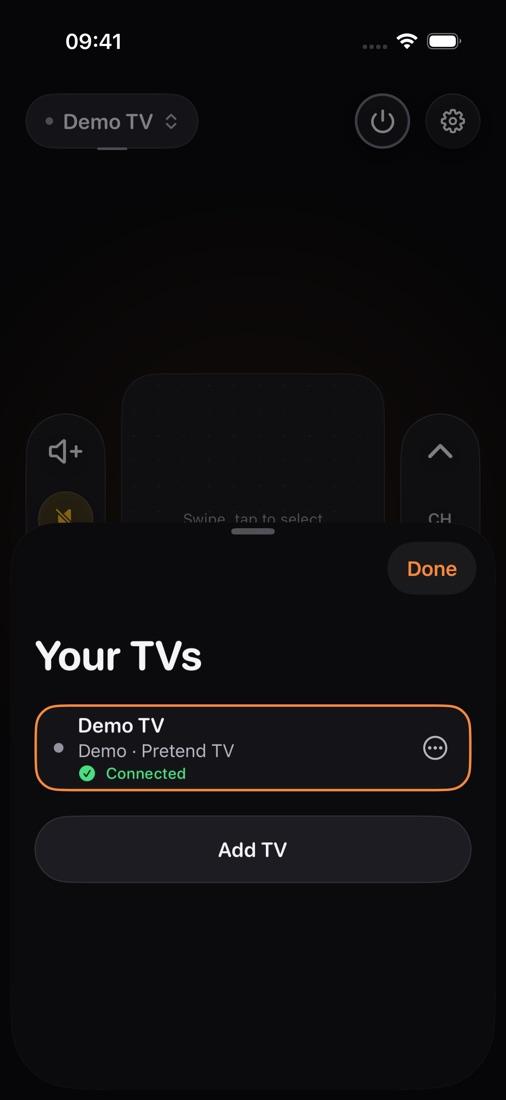
- Open Airmote. It looks for TVs on your network. Pick yours from the list.
- The first time, the TV asks whether this phone may connect. Choose Allow on the TV. You only do this once.
- Press things. From now on Airmote connects by itself when you open it.
One TV setting to know about. To turn the TV on from your phone, switch on "TV On With Mobile" (on older sets: "Mobile TV On" > "Turn on via Wi-Fi") in the TV's settings.
What Airmote can do
- Turn the TV off: Yes
- Turn the TV on: YesWith the TV's turn-on-with-mobile setting switched on.
- Volume and mute: Yes
- Switch inputs: YesA list of the TV's inputs.
- Type with the phone's keyboard: PartlyWorks in the TV's own text fields. Apps that draw their own keyboard, like YouTube, ignore it.
- Open apps: YesThe TV's apps, with their icons.
- Cast photos and video: NoAirmote is a remote. It doesn't cast or mirror.
- Mirror the phone's screen: NoAirmote is a remote. It doesn't cast or mirror.
What doesn't work
- Typing from the phone doesn't reach apps that draw their own keyboard.
- The first connection needs someone to choose Allow on the TV, which is awkward if the remote is already lost.
- It can't reach a TV that isn't on the network, or one that is fully switched off.
LG remote app for iPhone
Airmote is an iPhone app. iOS asks once for permission to find devices on your local network; Airmote needs that to see the TV.
LG remote app for Android
Airmote for Android is on the way. Until it's out, LG ThinQ is the free option on an Android phone.
The maker's app
Airmote or LG ThinQ?
LG ThinQ is the maker's own app and it is free. Here is what we know about it:
- LG's ThinQ app works with LG TVs from 2017 on. LG says to register the TV on the same 2.4 GHz network as the phone, with mobile data turned off while you do it.
- An LG TV with webOS 3.5 or later can be turned on over Wi-Fi if the TV setting "TV On with Mobile" > "Turn on via Wi-Fi" is enabled.
Airmote needs no account and keeps TVs of different makes in one list. If you have one TV and the maker's app suits you, that is a perfectly good choice. The two side by side.
Sources: LG support; LG support. Checked November 20, 2026.
Questions people ask
Can I control my LG TV with my phone?
Yes. Airmote controls LG webOS TVs over Wi-Fi, including turning the TV off and, with the TV's turn-on-with-mobile setting switched on, back on.
Is there a free app for LG TV remote?
Yes. LG's own ThinQ app is free, and Airmote isn't free to keep: it has a 3-day free trial, then needs Airmote Pro.
How do I use my LG TV without a remote?
Use the button on the TV for the basics, or a phone app if the TV is on your Wi-Fi. The first time an app connects, the TV asks you to choose Allow, so you need some way to answer that on the TV once.
Is there an app for controlling an old LG TV remote?
For LG TVs that run webOS, yes: Airmote works with them. LG's own ThinQ app covers TVs from 2017 on. LG TVs from before webOS aren't supported by Airmote.